
How to resolve Klif sys Blue Screen issue in Windows 10?

How to resolve Klif sys Blue Screen issue in Windows 10?
One of the most talked about features of the Windows 10 is that it comes with an inbuilt anti-virus protection. In such a situation if after your update, you choose to install another third party anti malware program, it can backfire. If you are facing a Klif sys blue screen, this can be one of the primary reasons. If you want to try and fix this problem all by your lonesome, reading the article below will prove to be quite helpful, we have mentioned a list of reasons and possible solutions to this issue:
How to fix Klif sys Blue Screen issue?
When you turn your computer system on and see a blue screen instead of your usual login, it is a direct signal to the Klif sys blue screen.
Since your PC is operating on a blue screen because of the error, you will have to switch to safe mode in order to proceed with the troubleshooting. Once you have changed your mode of operation, proceed with following these methods, we have compiled for you:
Removing third party anti malwares:
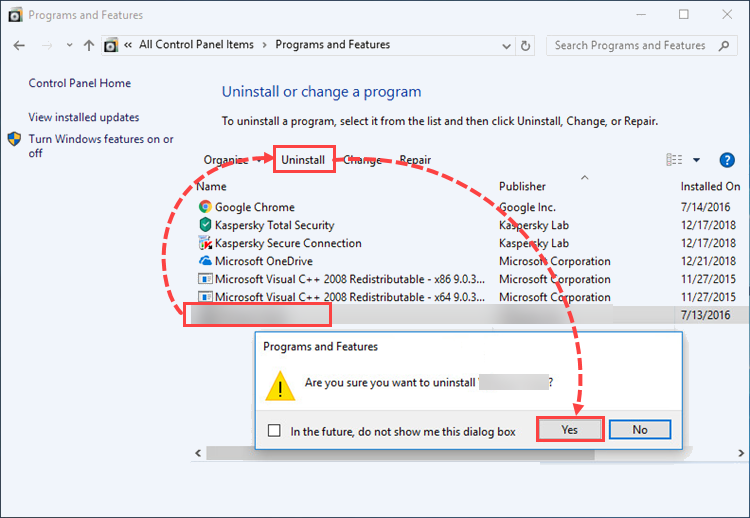
The market is flooded with all sorts of anti-virus programs, and users generally have one or the other of them installed. In case you have upgraded your Windows, it might be time to get rid of the anti-virus program. You can do so, by:
- Visiting the control panel and click on the anti-virus, you have installed currently.
- A right click on it will display a uninstall option, click on it and remove all related files, restart your system once again in normal mode and check if the Klif sys blue screen has been resolved or not.
Performing a system file checker
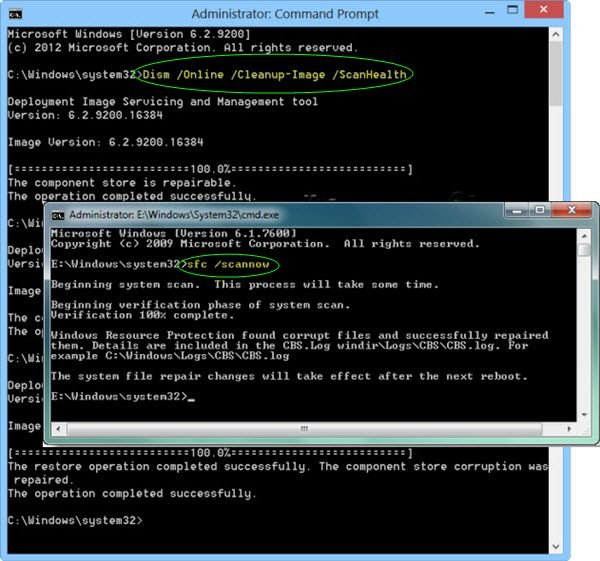
Another common reason for this issue could lie in your Windows Image file. To fix a possible corruption issue for it, follow the steps mentioned below:
- It will require two scans, the SFC and the DISM.
- Make sure that before the scans you have been logged in as the administrator.
- Type in a command, ‘sfc/scannow’ which will locate the presence of any damaged files.
- If it finds any files in need of a repair, they will be fixed.
- Restart your PC and check for any corruption in your image files.
- A simple clean up command should be able to fix any issues, if found.
- Reboot your computer, one last time and see if the Klif sys blue screen still persists.
Deleting the said system files.
The blue screen is often a result of corrupted files; you will need to delete the Klif.sys files, since in this case they have been bugged.
- The klif file is present at two places, so you will have to clean sweep it from both these locations.
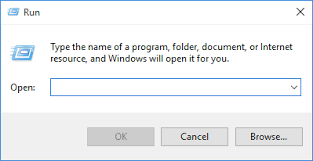
- Press the Control and F keys and type in the file name in the run dialog box. Delete it by a right click.
- Secondly, it will also have to be deleted from the C folder of your Windows.
- After removing them, check if the screen issue has been resolved by restarting.
Install Windows again
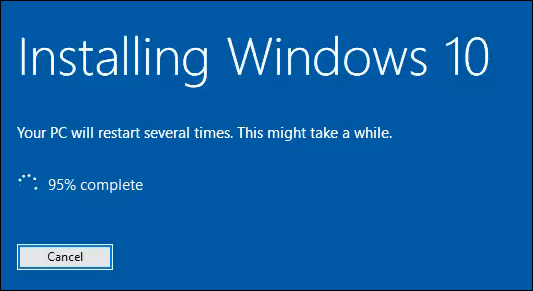
If none of these methods seem to work, you can simply install your Windows 10 once again, and it should get rid of the Klif sys blue screen. However, you should keep in mind to back up all your data before it gets returned to its factory settings.
For more related issues :How to fix Boot configuration Error 0xc0000242 in Windows 10? Fix WINDOWS 10 ACTIVATION ERROR 0XC004C008 How to fix Minecraft black screen issue on Windows?

DISCLAIMER :
We are an independent, third-party informational and lead-generation website for computer, software, and technical support services. We are not an official or authorized service center, representative, partner, or affiliate of any brand mentioned on this website.
We do not directly provide technical support, repairs, troubleshooting, installations, data recovery, virus removal, or other technical services. Any services are provided independently by third-party service providers.
All brand names, logos, trademarks, and product names belong to their respective owners and are used solely for identification and informational purposes. No affiliation, endorsement, sponsorship, or authorization is claimed or implied.
Before purchasing any service, users should independently verify the provider's official website, pricing, terms, cancellation/refund policies, and service details. All payments, billing, service delivery, warranties, refunds, and customer support are the sole responsibility of the selected third-party provider.
For your security, we will never request your credit/debit card PIN, OTP, online banking password, or remote-access credentials. Do not share such information with anyone claiming to represent us.
By using this website, you acknowledge that we operate solely as an independent informational and lead-generation platform and are not responsible for the services, products, pricing, billing, or performance of any third-party provider.
Leave a Comment